
Screenshots
App details
- Updated
- Apr 4, 2009
- Language
- English
- Developer
- Photo Actions
- Category
- Mobile
SoftPas in:
This product is also available in the following languages:
About Autorun Magick Studio
Download Autorun Magick Studio – autorun, multimedia, CD/DVD, interface, wizard, no programming, creative, professional, interactive, digital media
Overview
Autorun Magick Studio is a specialized productivity tool designed to simplify the creation of dynamic multimedia interfaces for CD and DVD projects. The application enables users to generate interactive autorun screens without requiring programming knowledge, making it accessible to individuals across various skill levels. Its primary purpose is to streamline the development of engaging, self-running media presentations—ideal for software distribution, portfolios, training materials, and promotional content. By offering a guided wizard and intuitive workflow, the software reduces the complexity traditionally associated with autorun design, allowing users to focus on creativity rather than technical execution.
Target users include educators, small business owners, multimedia designers, and individuals preparing physical media for distribution. The software’s ability to quickly produce professional-quality results makes it suitable for both personal projects and commercial use. Although the developer, Autorun Magick, did not provide additional background information, the tool’s long-standing presence in the market suggests a dedicated user base. Real-world applications range from educational DVDs with interactive navigation to corporate product launches featuring embedded video and audio content. In the broader app ecosystem, Autorun Magick Studio fills a niche for desktop-based tools that prioritize ease of use and rapid deployment in digital media creation.
Key Features & Functionality
- User-Friendly Interface: The software features a clean, intuitive layout that supports effortless navigation. With a step-by-step wizard, users can progress through project creation without confusion, regardless of technical experience.
- No Programming Required: Designed for non-technical users, Autorun Magick Studio eliminates the need to write code. Users can build complex autorun menus through visual tools and drag-and-drop functionality.
- Quick Project Setup: Projects can be created in just minutes, enabling rapid turnaround for time-sensitive tasks such as last-minute product launches or urgent training material distribution.
- Professional Output: Despite its simplicity, the tool supports high-quality results with customizable themes, fonts, and layout options to ensure polished, business-ready autorun screens.
- Multimedia Support: Users can integrate images, videos, and audio files directly into their autorun interfaces, enhancing interactivity and user engagement.
For example, a small business might use the software to create a promotional DVD with embedded product videos and background music. A teacher could design an interactive learning disc with clickable modules and audio explanations. The tool’s ability to combine multiple media types within a single interface makes it a versatile solution for digital content delivery.
Interface, UX & Performance
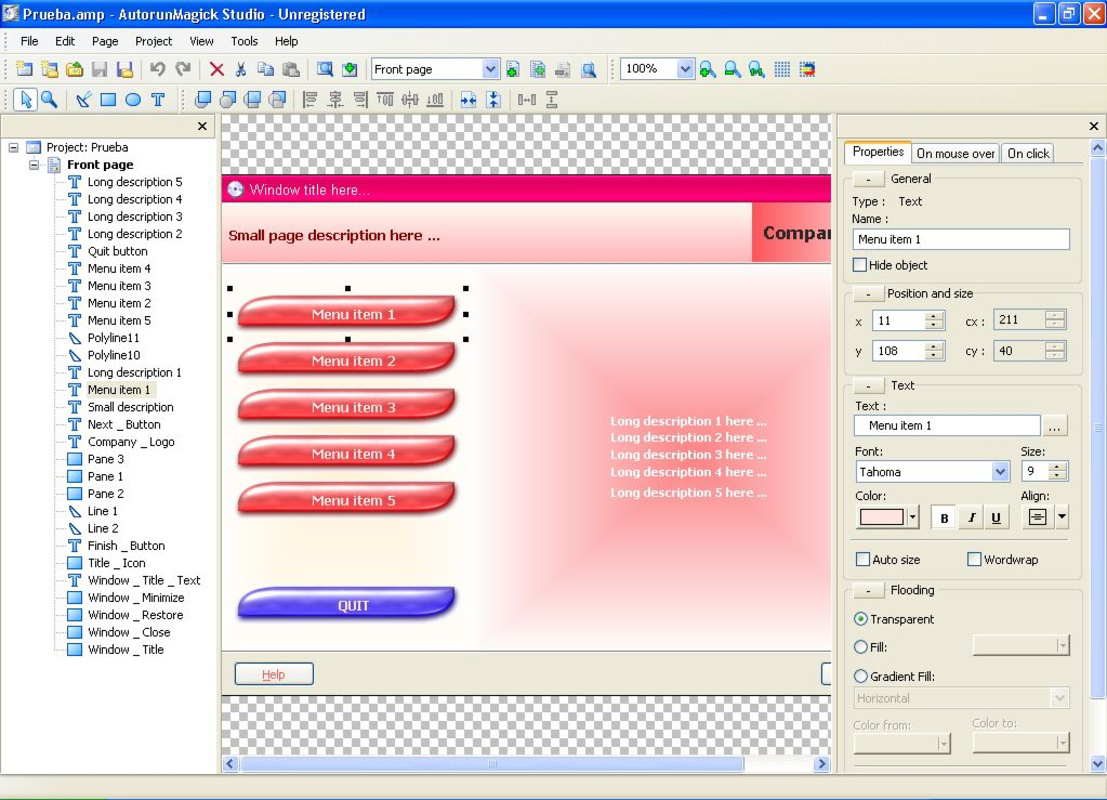
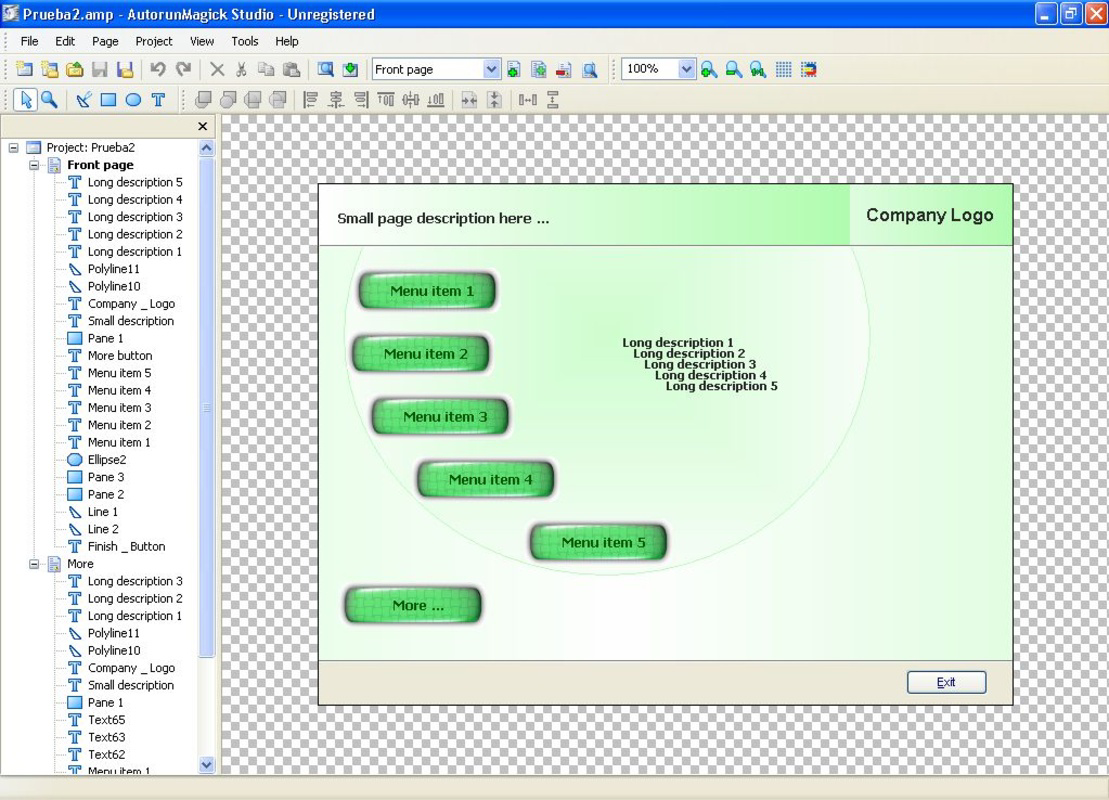
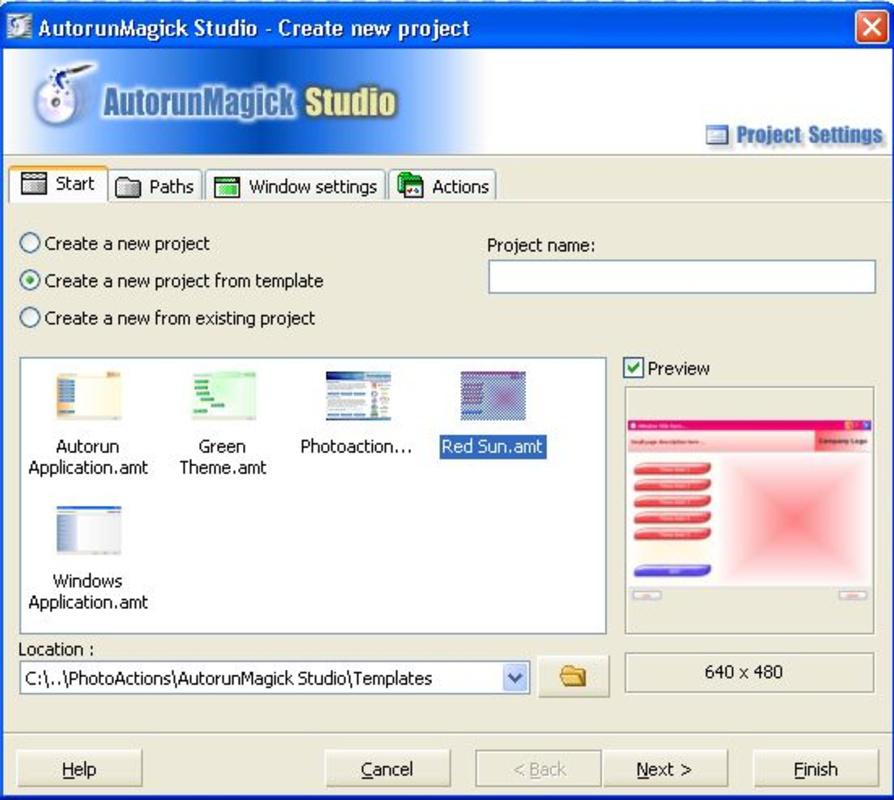
The interface of Autorun Magick Studio is structured around a linear, guided workflow, minimizing user confusion and reducing the learning curve. The visual layout emphasizes clarity, with labeled sections and consistent navigation patterns. Users are prompted through each stage of project creation—starting from selecting media, adding content, and finalizing the autorun behavior—ensuring a seamless experience.
Navigation is straightforward, relying on a top-level menu and side panel for content management. The software maintains responsiveness during routine operations such as file import and previewing. Although the developer did not list formal performance metrics, the lightweight file size of 4.5 MB suggests efficient resource usage. The application runs smoothly on standard Windows systems, though specific hardware requirements were not disclosed. Stability appears consistent based on its long-standing release history. Users can expect minimal crashes or freezes during typical use, though real-world performance may vary depending on system configuration.
Platform Compatibility & Technical Requirements
Autorun Magick Studio is designed for the Windows platform, with a software version of 1.0.0.0 and a file size of 4.5 MB. The application is compatible with Windows operating systems, though specific OS versions were not listed by the developer. The installer file is relatively small, indicating minimal system footprint and fast installation times. While the developer did not specify minimum OS requirements, the software’s age and size suggest compatibility with older Windows versions, including Windows XP and later.
Users should verify compatibility with their current system before installation. The lack of detailed technical specifications prevents definitive assessment of performance on modern or low-end hardware. However, the lightweight nature of the application supports broad accessibility across different device categories, from older desktops to current Windows machines.
Pros and Cons
Pros
- Intuitive interface suitable for beginners and non-technical users
- Eliminates the need for programming knowledge
- Enables rapid creation of professional autorun screens
- Supports multiple multimedia formats for rich interactive content
- Lightweight installation with minimal system impact
Cons
- Platform limited to Windows only
- No information on minimum OS or hardware requirements
- Software has not been updated since 2009, raising compatibility concerns with modern systems
- Limited availability of official support or documentation
- Price point may be considered high for a tool with no recent updates
FAQ
Is Autorun Magick Studio safe to download and install?
Yes, the software is available from official sources. However, users should ensure they download from trusted websites to avoid bundled third-party applications.
Can I use Autorun Magick Studio on Windows 10 or Windows 11?
The developer did not specify compatibility with modern Windows versions. While some users may find it functional, it is not guaranteed to work optimally on newer systems.
Does the software require an internet connection?
No, Autorun Magick Studio operates offline once installed. Internet access is only needed for initial download and activation.
Is there a free version or trial available?
Based on the provided information, the software is sold at a fixed price of $29.95 with no mention of a free trial or demo version.
Can I update Autorun Magick Studio to a newer version?
As of the release date in 2009, no updates have been issued. The current version remains 1.0.0.0, and no official update path is available.
Final Thoughts
Autorun Magick Studio remains a notable tool for users seeking to create interactive CD/DVD interfaces without technical expertise. Its emphasis on simplicity, multimedia integration, and rapid deployment offers real value for those preparing physical media content. While the lack of recent updates and limited platform support are notable drawbacks, the software still delivers on its core promise: enabling creative users to produce professional results quickly. It is particularly beneficial for educators, small business owners, and designers who need a reliable, no-code solution for autorun development.
Despite its age, the tool’s lightweight design and clear functionality make it a viable option for legacy workflows. For those in need of a straightforward, one-time-use solution, Autorun Magick Studio provides a practical path to digital media creation. Download Autorun Magick Studio now
Guides & Tutorials
How to install Autorun Magick Studio
- Click the Download button above.
- Once redirected, accept the terms and click Install.
- Wait for the Autorun Magick Studio download to finish on your device.
How to use Autorun Magick Studio
This software is primarily used for its core features described above. Open the app after installation to explore its capabilities.
User Reviews
No reviews yet. Be the first to share your experience.
You may also like
more
Que no te pillen¡
About !Que no te pillen¡Reviewed by Jason A. BilbreyShow MoreShow Less

3D Combat Zone
About 3D Combat ZoneOriginally released in 1983, 3D Combat Zone immerses players...

666: El día del portal
About 666: El día del portalOn June 6, 2006, Agent P. Stone uncovers a sinister...

80 in 1 Best Flash games
About 80 in 1 Best Flash games 80 in 1 Best Flash games is a collection of 80 fl...

ABYSS SEEKERーーWhat Do You See Deep in The Abyss
About ABYSS SEEKERーーWhat Do You See Deep in The AbyssIn ABYSS SEEKER, players...

ACA NEOGEO THE KING OF FIGHTERS 2002 for Windows
About ACA NEOGEO THE KING OF FIGHTERS 2002 for WindowsTHE KING OF FIGHTERS 2002,...